



By using this site, you agree to the Privacy Policy and Terms of Use.
Accept
gladysliu.com
Notification
Latest News
Why Getting Premier League Tickets Feels Impossible — And How Fans Can Finally Beat the System
03/12/2025
Sennheiser CX Plus True Wireless earphones review – impressive sound and ANC
31/07/2025
Mac Studio and Studio Display review – stunningly powerful for the high end user
31/07/2025
How to steam a pudding
30/07/2025
How to save money on petrol and diesel – 18 ways to reduce your fuel costs
30/07/2025
Aa
  • Home
  • Beauty
    BeautyShow More
    How to clean hairbrushes in three easy steps
    30/07/2025
    11 of the best shaving hacks for women
    23/07/2025
    How to get perfect eyebrows at home
    22/07/2025
    How to wash your face properly, according to the experts
    22/07/2025
    Hair trend: Going grey gracefully
    22/07/2025
  • Food
    FoodShow More
    How to steam a pudding
    30/07/2025
    How to cook rice
    24/07/2025
    How to make a tsunami cake
    22/07/2025
    How to use up leftover Halloween pumpkin
    21/07/2025
    How to make classic S’mores
    21/07/2025
  • Health
    HealthShow More
    How to reduce your cholesterol
    29/07/2025
    Laughter yoga: Everything you need to know
    29/07/2025
    Walking for weight loss – is 30 minutes a day enough?
    28/07/2025
    What is the 1,000 calorie meal diet?
    23/07/2025
    Piled on the pounds? Get back on track and drop a dress size in seven days
    23/07/2025
  • Money
    MoneyShow More
    How to save money on petrol and diesel – 18 ways to reduce your fuel costs
    30/07/2025
    How to find a job as an IT specialist?
    30/07/2025
    How to improve your credit score fast – 17 tips from our finance expert
    29/07/2025
    What are payday loans? 7 expert reasons to avoid them
    29/07/2025
    Save money: home repairs you can do yourself
    28/07/2025
  • Tech
    TechShow More
    Sennheiser CX Plus True Wireless earphones review – impressive sound and ANC
    31/07/2025
    Mac Studio and Studio Display review – stunningly powerful for the high end user
    31/07/2025
    Samsung S21 FE 5G smartphone review – the greatest hits in one device
    29/07/2025
    Sonos Ray review – a tiny and affordable soundbar that produces a big sound
    28/07/2025
    Apple iPhone SE 2022 review – a favourite design with an all-new engine
    28/07/2025
  • Lifestyle
  • Contact
  • English
    • Polski
    • Deutsch
    • Français
    • Русский
    • Português
    • Español
Reading: Espresso Display V2 review – a better way to improve your workflow and productivity
Share
gladysliu.com
Aa
  • Home
  • Beauty
  • Food
  • Health
  • Money
  • Tech
  • Lifestyle
  • Contact
  • English
Search
  • Home
  • Beauty
  • Food
  • Health
  • Money
  • Tech
  • Lifestyle
  • Contact
  • English
    • Polski
    • Deutsch
    • Français
    • Русский
    • Português
    • Español
gladysliu.com > Tech > Espresso Display V2 review – a better way to improve your workflow and productivity
Tech

Espresso Display V2 review – a better way to improve your workflow and productivity

Jane Nowacka
Posted Jane Nowacka 11/07/2025
Share
5 Min Read
SHARE

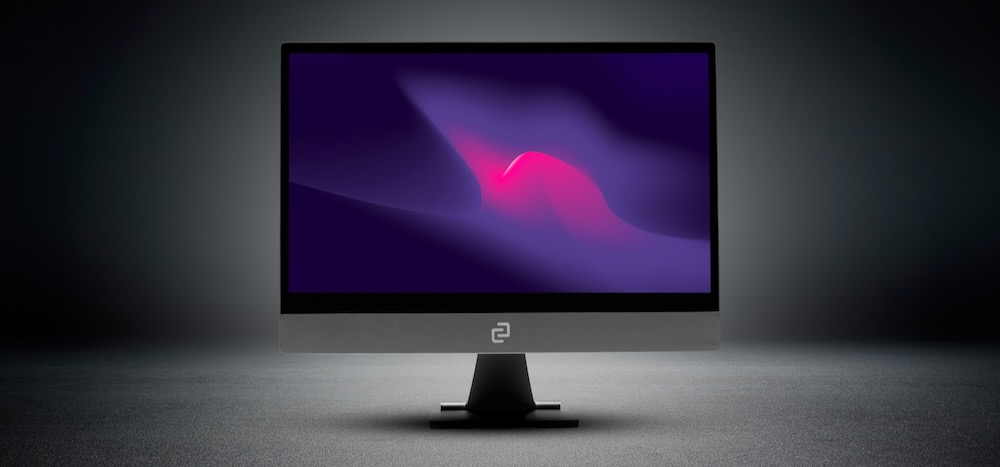
When Australian company Espresso launched their amazing thin, portable displays it allowed us to increase our screen real estate and improve our workflow and productivity quickly and easily. Espresso has just launched Version 2 – and it’s even better.

Espresso entered the market at the start of the pandemic, at a time when we were reassessing how and where we worked.

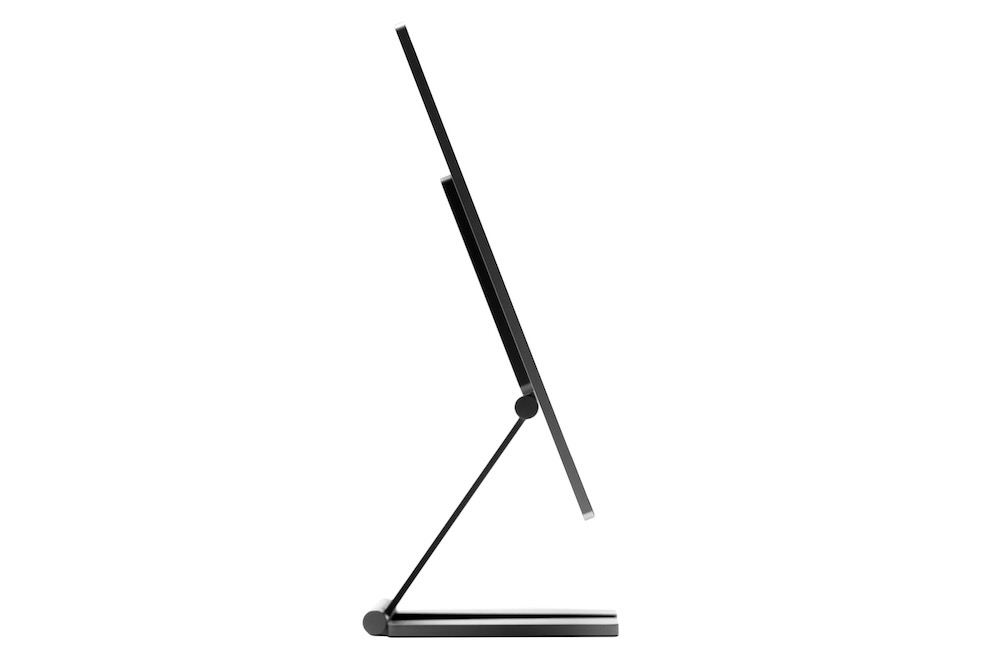
Their thin displays (just 5.3mm thick) offered a solution for those who wanted to break free of their small laptop screens and have more room to move and to get their work done.

Version 2 of the Espresso display – available again in 13-inch and 15-inch – are now even more versatile.

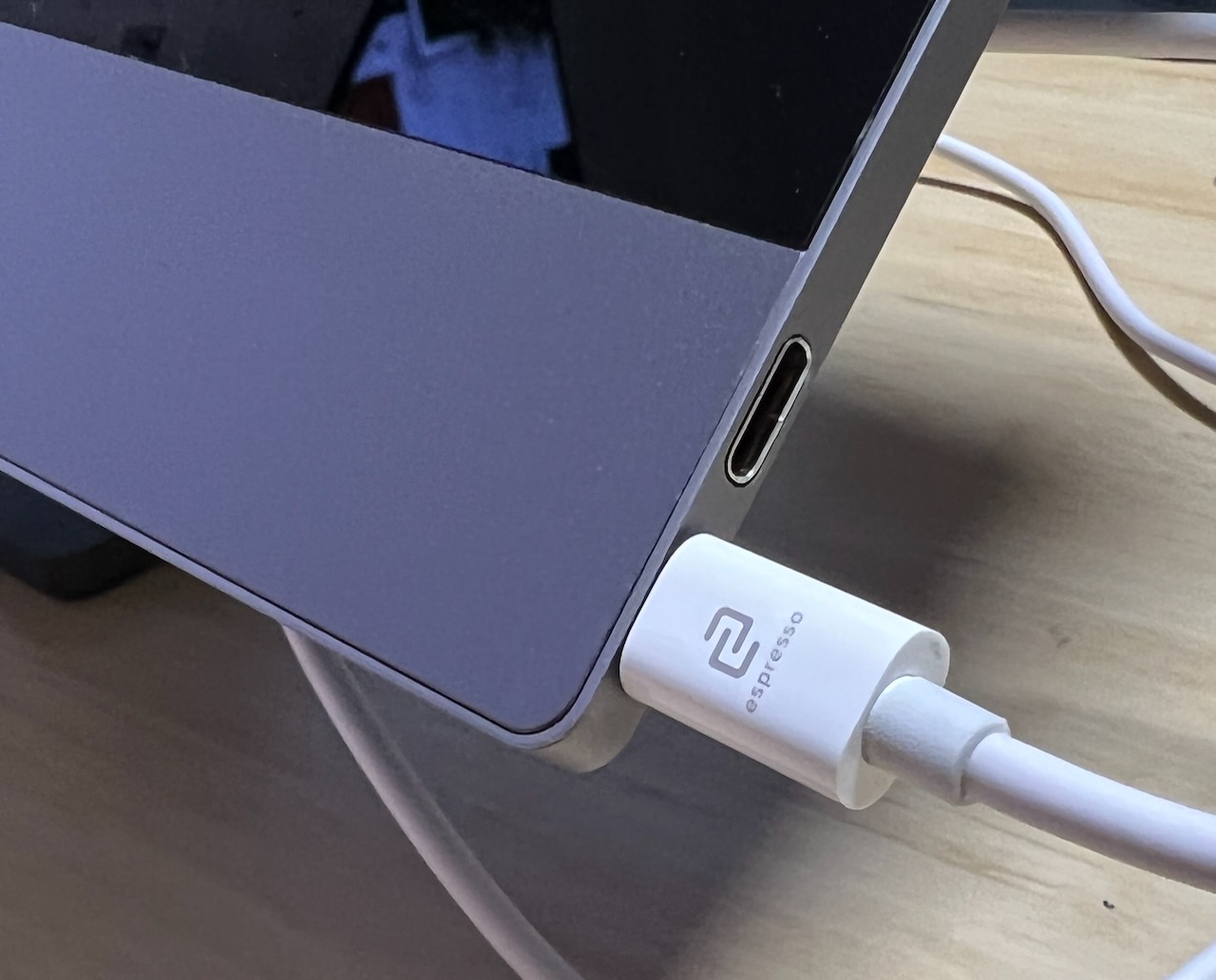
They still connect with a single USB-C cable to your laptop or desktop computer and require no power – they draw power from the computer they are connected to so there is no need to carry around a second charger or power supply.
ExpressoV23

And the screen can also be used in any orientation – landscape and portrait – to suit what you’re working on or viewing.

And they are touchscreens, which, for Mac users, can completely revolutionise the way they work and use their computer.

The touchscreen displays have full HD resolution with 300nits brightness and include features like palm rejection when using the touchscreen and have built-in speakers.
ExpressoV24

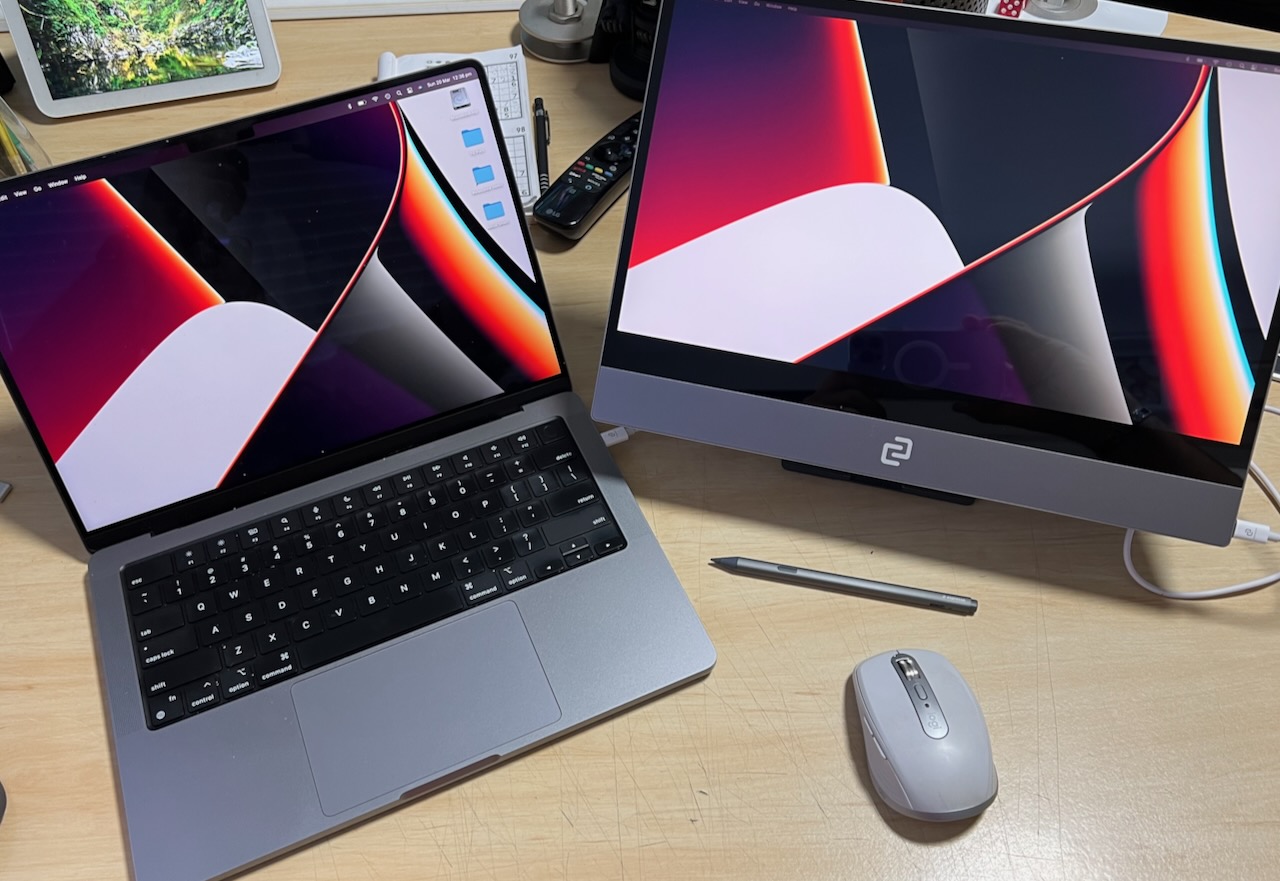
For our review, we had our 15-inch Espresso display connected to our 14-inch M1 MacBook Pro and we were able to spread out our work.

We had our email on the Espresso display with other applications running on the laptop.

And with gestures we were able to navigate the Espresso display including scrolling our emails and browsers with two fingers.

We would have liked to see higher brightness, but we suspect that would mean drawing even more power from your laptop which could impact your battery life if you’re on the move.
EspressoV2Review3

We’re also expecting a 4K Espresso display in the near future.

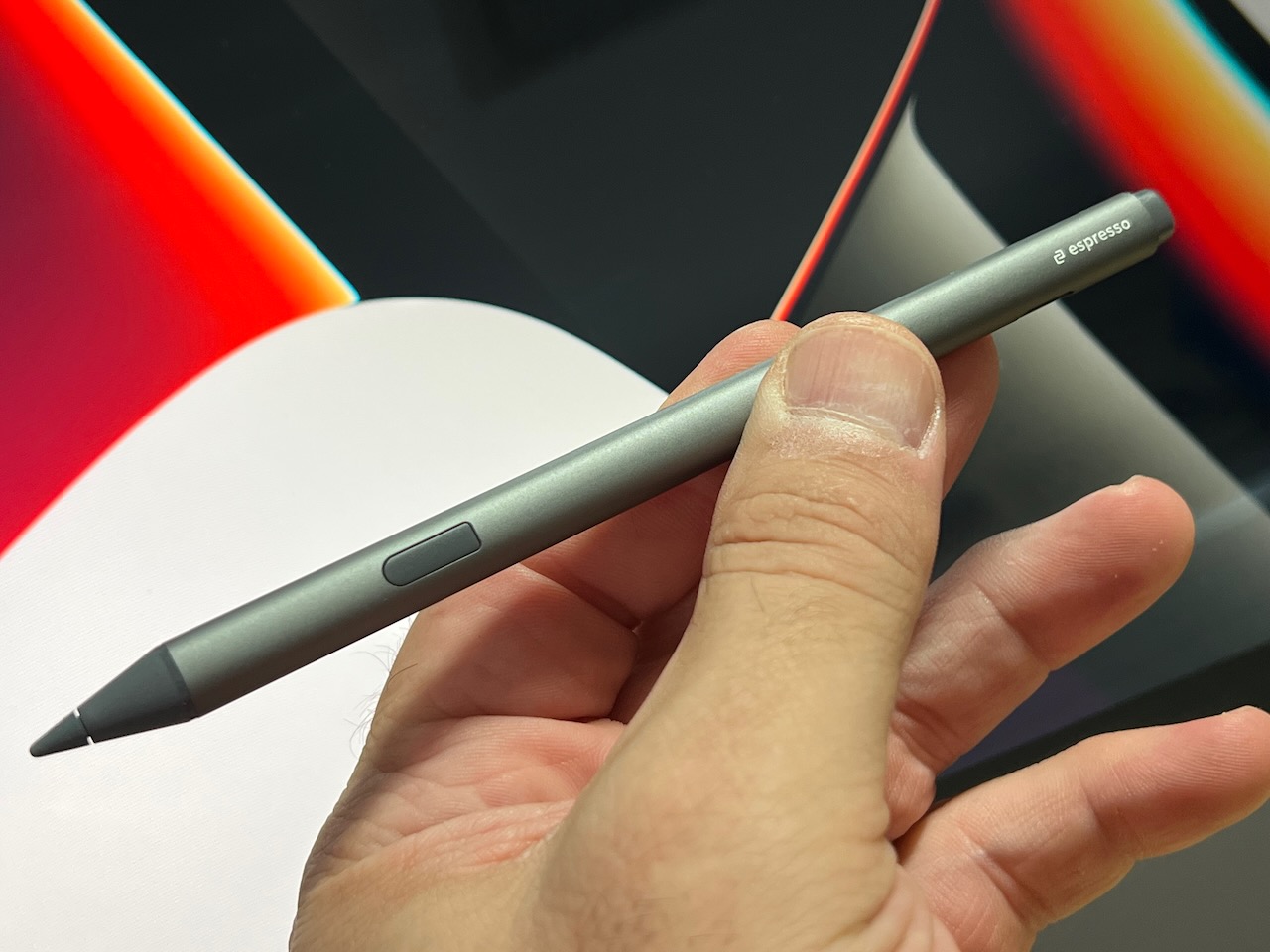
Espresso has also released the EspressoPen – a precision stylus with pressure sensitivity and excellent responsiveness.

This now opens up your options to write and draw and the built-in button offers left and right mouse click functionality.

EspressoPen really frees users up to be even more creative and productive when working with applications like Sketchbook and the whole line-up of Adobe apps like Illustrator, Photoshop and many more.
EspressoV2Review4

The pen also works seamlessly with collaborative whiteboard tools like Miro, Figma and Conceptboard.

Espresso has also released EspressoFlow – new software for Macs and Windows PC that makes it easier to navigate content, add functionality for EspressoPen and just make the screen work even better with your computer.

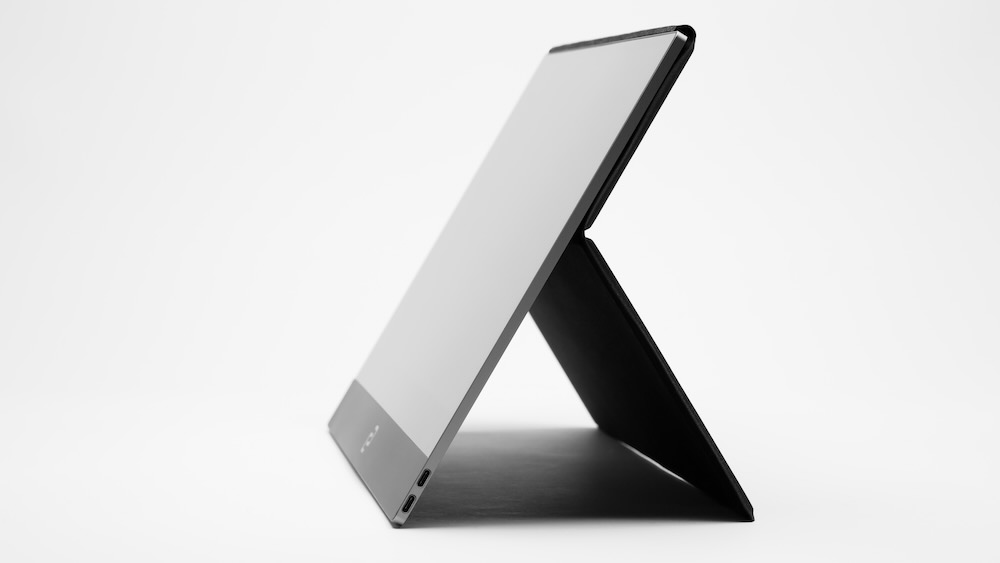
There are also a range of accessories to help position the display including a case that acts both as a cover to protect the screen when not on use and as a way position the screen.
EspressoV2Review5

There’s also magnetic stand so you can elevate and tilt the screen so it’s at the right height and the right angle.

The Espresso displays are a great addition to your workflow. They make things a lot easier and pave the way to help you become a lot more productive no matter where you are.

And being so thin and light – and the fact they don’t need their own power source – you can take them anywhere.
ExpressoV27

The Espresso Displays are priced at $669 (13-inch) and $749 (15-inch). EspressoPen is priced at $119, Espresso Stand is $99 and EspressoCase is $69.

VERDICT

The Espresso Display V2 is a huge improvement over the already brilliant original display and provide even more ways to easily expand your workspace and dramatically improve your workflow and productivity.

You Might Also Like

Sennheiser CX Plus True Wireless earphones review – impressive sound and ANC

Mac Studio and Studio Display review – stunningly powerful for the high end user

Samsung S21 FE 5G smartphone review – the greatest hits in one device

Sonos Ray review – a tiny and affordable soundbar that produces a big sound

Apple iPhone SE 2022 review – a favourite design with an all-new engine

Jane Nowacka 11/07/2025
Share this Article
Facebook TwitterEmail Print
Share
Previous Article 7Slots Casino: Sorunlar ve Çözümlerle Dolu Bir Macera
Next Article Technics AZ60 true wireless earphones review – a heritage of quality audio

Hot

Scopri come divertirti e vincere con Winnita Casino!
27/07/2025 4 Min Read
AbeBet Casino: Online Oyun Dünyasında Yenilikler ve Çözümler
19/07/2025 3 Min Read
Apple iPhone SE 2022 review – a favourite design with an all-new engine
28/07/2025 7 Min Read
Jabra Elite 7 Pro earphones review – great quality for your music and your calls
07/07/2025 5 Min Read
Samsung Galaxy S22+ and S22 Ultra review – a new benchmark for smartphones
11/07/2025 12 Min Read

Removed from reading list

Undo
Welcome Back!

Sign in to your account

Lost your password?